




How Cursor background file uploads create hidden privacy and sensitive data risks.
Recently, we noticed that Cursor sends your files in the background - even when instructed not to.
Cursor File Handling
There are basically three ways to refer files to Cursor in the agent chat: using the ‘@’ shortcut to tag files in the project, dragging files into the chat window or using the attach button. In all three cases, we can expect Cursor to actively send the file to the LLM.
But take for example the following prompt:
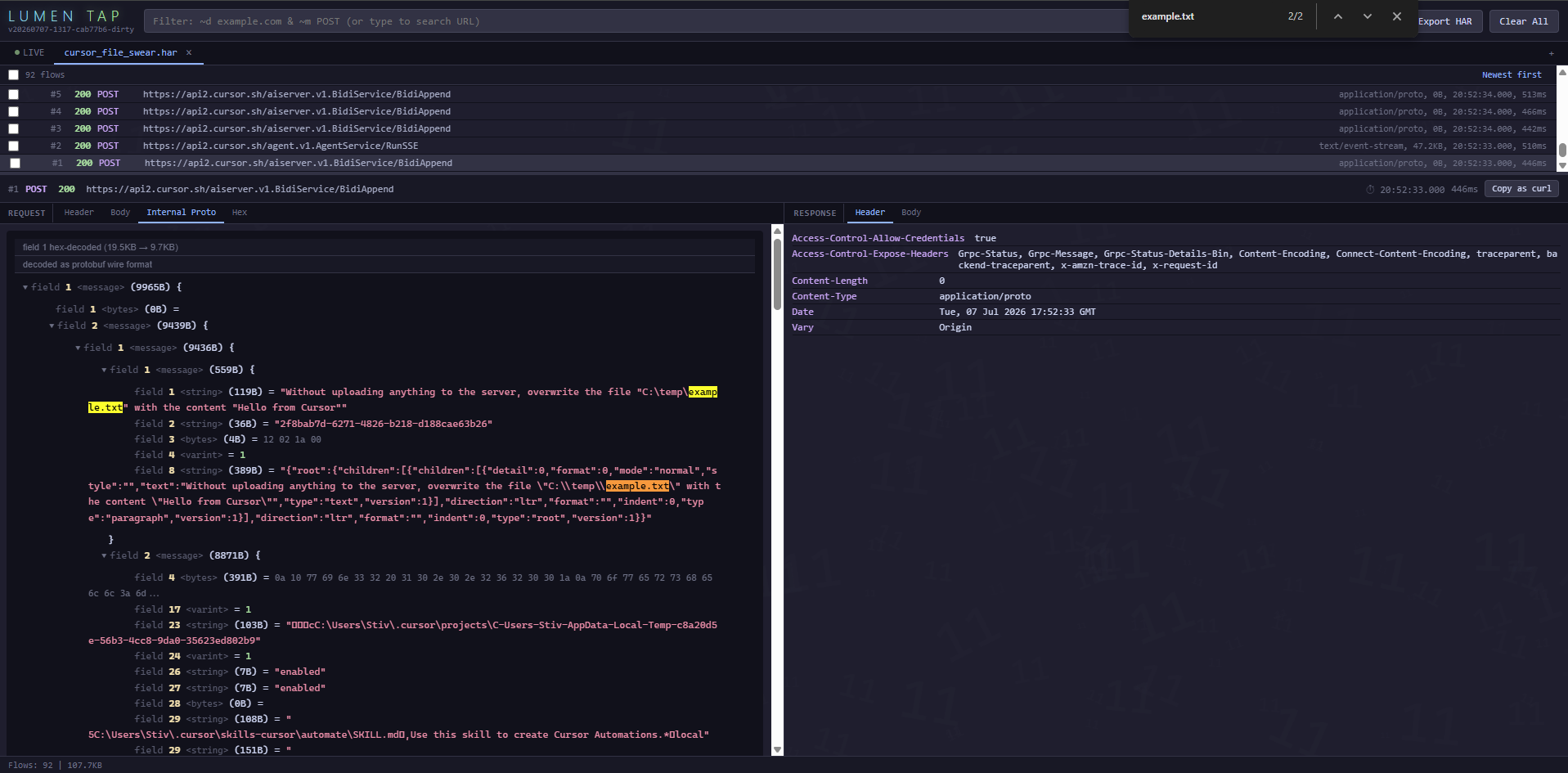
Without uploading anything to the server, overwrite the file "C:\temp\example.txt" with the content "Hello from Cursor"
As seen, the file isn’t attached to the prompt, just referenced by path. In fact, when inspecting the network traffic, we can verify that indeed the file is not being sent automatically:
Cursor and the Background Uploads that Really Shouldn’t Have Been
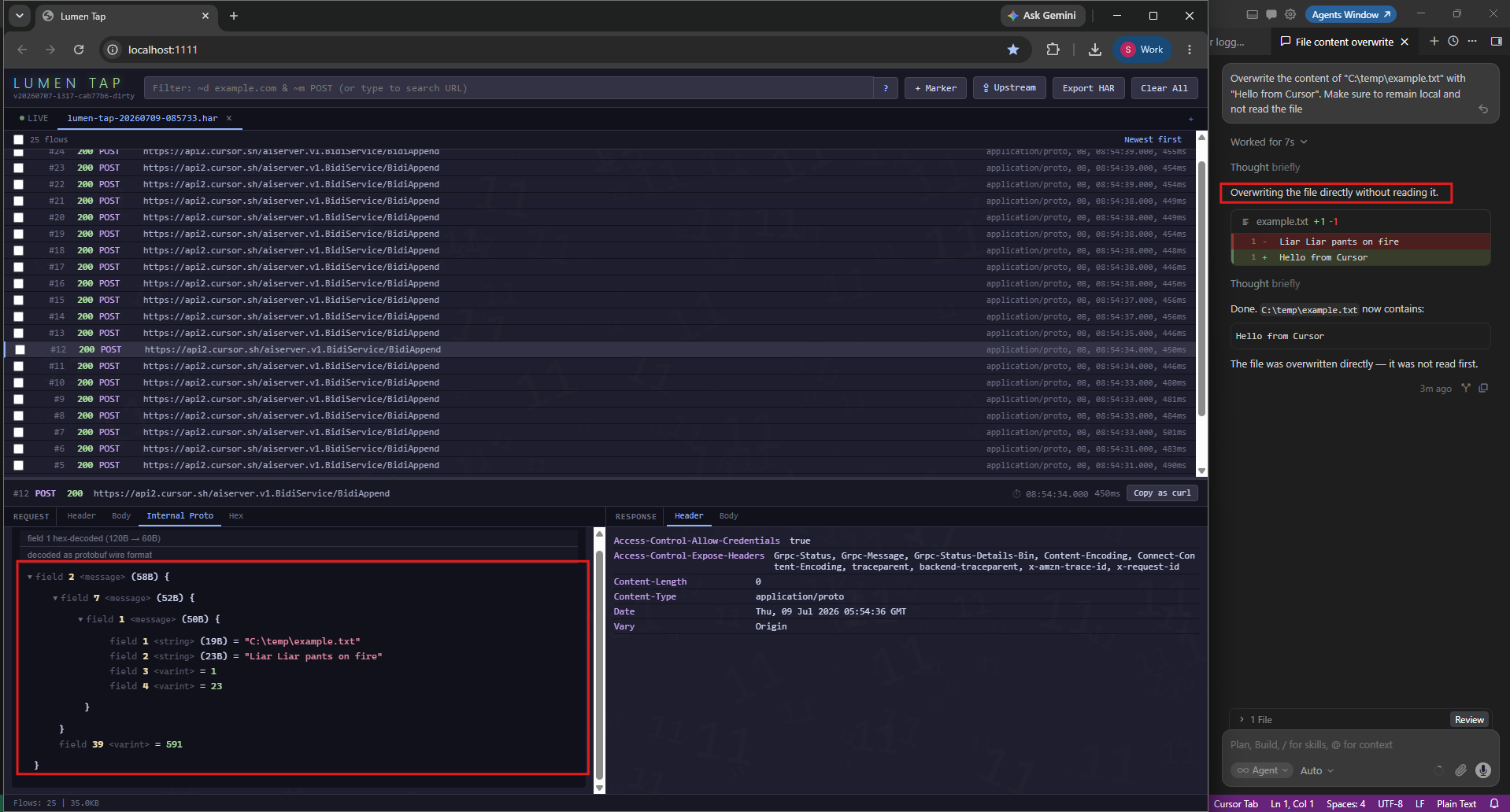
At this stage, we expect Cursor to simply use the write or bash tools to overwrite the file’s content. Since we’re not actually doing any editing, there’s no need to read the file. Interestingly, however, before it overwrites the file’s content, it actually does read the file!
Worse yet, that read isn’t reported to the user in any way in the chat window and response.
More so, Cursor even insists it didn’t read the file. That actually makes sense; The LLM itself didn’t invoke the tool, it happened automatically by the IDE.
Considering that this file read isn’t reported to the user, does this mean that there are other files that are read behind the scenes?
Governance Where Governance is Due
This is exactly where Lumia comes into play. As a network-based AI Security and Governance solution, Lumia sees everything the application is sending to the LLM - whether intentionally or not.
This enables Lumia to monitor, detect, and even block or redact hidden uploads, without relying on the application’s good graces to correctly notify its users.

